I made a Twitter account, @BuildingTents, so that I can post quick updates, along with bugs and fixes without making a whole blog post. People can also contact me there.
6to4 Card Cleaner v1.50, IPv6Activator v1.00
This new version of 6to4 Card Cleaner adds the full Microsoft process of fixing the problem; the program will disable IPv6, remove the cards, and then run KB980486. There still is a option to just remove the cards. Added features also include an updater, a window that allows you to set IPv6 to any of the 6 settings, and a new backend.
These cards WILL NOT show up in device manager, unless you turn on hidden devices, and WILL NOT show up in ipconfig unless you do ipconfig /all.
I also took out the window that lets you change the IPv6 setting, and made it its own app, so if you need a user to just change IPv6 they can get this 70kb app.
As always any bugs please report them, I will patch and the automatic updater will alert users a new version is available. Source available on request.
Download
Main Program
https://github.com/daberkow/daberkow.github.io/tree/master/6to4CardCleaner
IPv6Activator
https://github.com/daberkow/daberkow.github.io/tree/master/IPv6Activator
WebViewer
So I’ve started on a new program at the behest of my friend David. It allows you to enter any website that has a bunch of items in a numerical storage system, or through RSS. Thats the idea anyway, some uses are reading webcomics, or looking at EVERY MICROSOFT KNOWLEDGE BASE ARTICLE IN ORDER! That’s the idea, right now it just goes to “Order of The Stick Comics”. But I installed my update class, so I will put updates out when they are ready and it will warn you, then allow you to download them. Links below, my second miror is limited, so please use the first if available.
Download:
https://github.com/daberkow/daberkow.github.io/tree/master/WebViewer
6to4 Card Duplication
Multiple versions of Windows, mostly Windows 7, support IPv6 networking, and if your network doesn’t support it, and the machine wants to link to a site or computer that does, it will make a virtual IPv6 to IPv4 converter card. Now sometimes Windows doesn’t reuse them, or delete them. So in this situation these cards keep being added to the system, adding and adding. Eventually the use will attempt to connect to a local server, or some other service, and Windows will try every card first, and then fail to connect. Timing out even though the real connection has no fault. It appears at around 180 virtual cards we start to see this. The solution is removing all the cards, but Windows wants you to remove them one at a time. Microsoft does have a tool for removing devices in a systematic order, but you need to get the one for your architecture, and some of these need you to download a large package and extract it. So I decided to make it simple, download and run my tool and it will remove these cards for the user. After the removal the user will need to reboot but then they can connect.
Now this doesn’t keep the computer from adding more cards in the future, and I don’t want to disable IPv6, for it is slowly rolling out and when the user actually gets it they should be able to use it. So the current release, v 1.2.2, has a few command line arguments, and will run in graphical mode if no arguments are presented. It is very simple, a few buttons that do their jobs. In the future I want to add a scheduler option, that will allow you to run it monthly automatically so if this problem persists it isn’t a pest, along with a updating function so no need to download a new version if installed.
The download link is below, it requires .Net 2.0, which is already installed on Windows Vista and Windows 7.
Quick Update
Hello Internet,
I am working on some new stuff and really want to start populating this site. I thought I may put up some basic stuff now. I’m at RPI, working at the Helpdesk, constant work and studying.
Twitter: http://www.twitter.com/DanBerk
Flickr: http://www.flickr.com/photos/26015642@N00/
I’ll be putting new podcast information here soon (hopefully). That’s all for now.
Robot Under Tree 04
Some Extra doodles here, along with some math.

By Morgan Miller
Robot Under Tree 03
Robots are great, little low quality, but we call it art.

By David Lombardo
Robot Under Tree 02
In the continuing series of Robot Under Tree

By Christina Sharp
Robot Under Tree 01
First in the series of Robot Under Tree
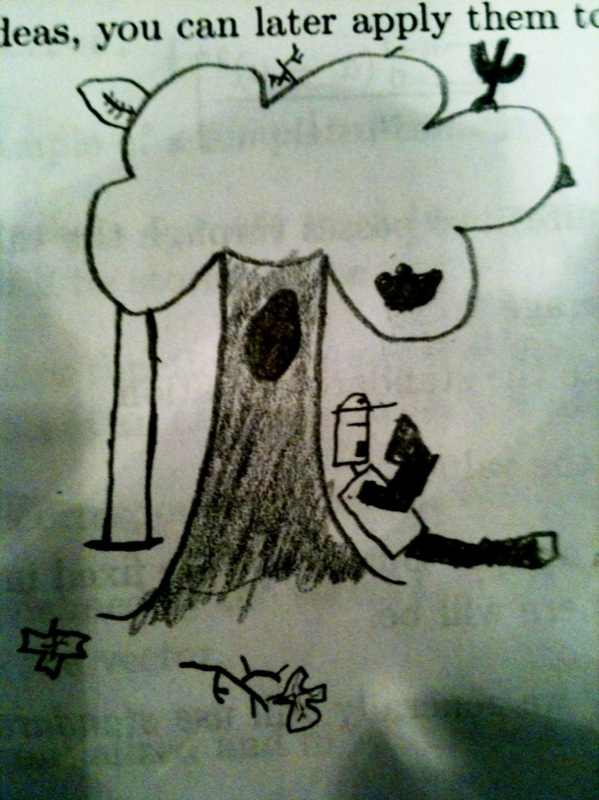
Sometimes you get bored
Mac OS X 10.6
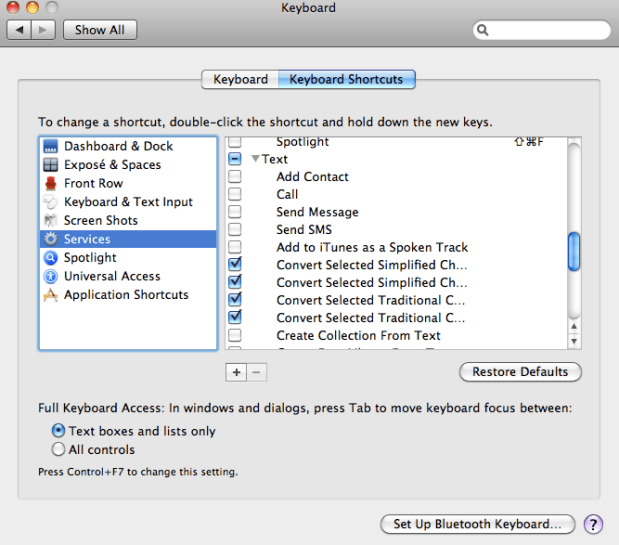
Keyboard Shortcuts
Here in the System Preferences Panel in 10.6, one available keyboard shortcut is “Send SMS,” is this a future feature of a 3G tablet?

